Techno Logica


Tuesday, April 28, 2009

MKS for HP Quality Center

Improve Software Quality and Enhance Development and Quality Assurance (QA) Team Efficiency

MKS supports integrations with market leading, complementary development lifecycle tools, including leading software testing technologies. Our deep integrations result in a well managed cohesive development environment that is highly functional and user friendly.

"Quality Assurance is a crucial component of any IT project and is the responsibility of everyone involved - not just the QA Engineer, which makes it imperative for companies to ensure close, consistent collaboration between development, QA, and the business."
- Mark Sarbiewski, Senior Director, Solution Marketing, Software, Hewlett-Packard Company

Benefits of MKS and HP Quality Center (formerly Mercury Quality Center) integration for improved software testing:

Support IT governance by directly linking software change to defects
Improve communication between QA and Development with continuous process
Delivers complete traceability, closing hte loop between defects found in QA and fixed in development
Reduces project risk, providing assurance that QA is testing against the most current set of requirements

Connect Development and QA Teams with Integrated Process and Workflow Management:
HP Quality Center is integrated with the process and workflow capabilities of MKS Integrity to build a continuous and two-way process flow between Application Development and Quality Assurance teams.

Requirements authored in MKS Integrity can be synchronized into the Requirements Module of HP Quality Center, ensuring that testing requirements are directly related to the requirements being authored by the business analysts.

After testing is completed, defects identified with HP Quality Center are automatically cycled back into the development process via MKS Integrity, and travel with associated development artifacts such as source code or documentation. The integration enables organizations to establish an enforceable and auditable process for defect resolution, improving software quality, enhancing development and QA team efficiency, and supporting IT governance initiatives.

About MKS
MKS, the global application lifecycle management (ALM) technology leader, enables software engineering and IT organizations to seamlessly manage their worldwide software development activities. With its flagship product, MKS Integrity, MKS offers support for all software development activities through a single enterprise application, resulting in better global collaboration and higher productivity. MKS supports customers worldwide with offices across North America, Europe and Asia.
The MKS Integrity platform shows how a strong platform for application change and IT management can provide the foundation to meet the biggest challenges facing the Fortune 500 today - prioritization of IT spending, driving higher productivity, outsourcing and offshoring, and the reinvention of their IT infrastructure themselves. 

HP Quality Center 10 from a Test Manager’s Perspective

Serge Baumberger

by Serge Baumberger


The new Version 10 of the HP Quality Center (QC) is now available. Yet what are the actual advantages of the new QC compared to its predecessor from a Test Manager’s perspective?

Below, I will take a look at some of the new features and changes, and I will answer the question whether one should even make the switch.

The Most Significant Changes

The new QC Version 10 has seen a series of changes, of which the most significant ones are:

  • Version control
  • Baselining
  • Integrated dashboard
  • Shared libraries
  • Cross Project Customization

Version Control

Finally, QC has been provided with a fully integrated version control. In past versions, one had to make do with third-party integration, which generally stumbled rather than ran. The version control, if desired, must first be activated for every individual project via the SiteAdmin. Once this is done, all entities falling under the version control become Version 1. QC entities include requirements, tests, test resources, and business components. If one wishes to add a test step to a test case for example, one is automatically requested to check this test case. As soon as there is more than one version of an entity, one can compare various versions against each other or retrieve an older version.

Summary: The whole thing is intuitive and easy to operate. But what’s the use of having eight versions of a requirement, when one doesn’t know which software release a version belongs to?

Baselining

Along with version control comes baselining, which is intended to answer the question above. Using the new “Management” module that replaces the “Releases” introduced in 9.x one gets to the baseline function via the “Libraries” tab. This enables one to obtain a summary of a complete testing release and retrieve it if necessary. In this way, a test set can be pinned to a baseline in the test lab. In other words, as of now, the manual copying of entire trees into the test plan module is a thing of the past. At last, test managers will be able to properly organize software that has multiple parallel releases (in production, current release, future release).

Summary: Setting up the baseline works very well. While creating it, a log keeps one updated on what is currently taking place. However, setting up baselines probably needs to be done during off-peak hours since it can take a while for larger QC projects.

Integrated Dashboard

Equally interesting for test managers is the new integrated dashboard that can be found on the left-hand navigation bar where the “Management” module is, too. The special feature of the new dashboard does not pertain to the graphics, which are not particularly appealing, but the “Cross-Project” functionality. It is now finally possible, when working on a QC project, to get an overview of all of one’s ongoing projects. These dashboards are freely configurable and can be designated to be personal favorites or publicly accessible. Special Excel reports also enable direct access to the database via SQL. The generated reports can then be graphically processed at the same time by means of VBScript.


Summary: The new dashboard module is quickly customized and achieves its purpose in ongoing projects. What is missing is a sensible way of printing content for a given project meeting, for example.

Shared Libraries

Libraries, which are located in the “Management” module, can be re-used and distributed with Version 10. A library represents a collection of entities in a QC project, including their relationships to each other. When dealing with many similar projects, it offers the advantage of not having to repeatedly create entities. Libraries can be imported from project A into project B, compared against each other, or even synchronized. A library also allows one to collect the same entities as in versioning. Defects are not included, but they can be shared with the new “HP Quality Center Synchronizer” manually among several QC projects. As mentioned, the advantages really only present themselves when one has many and/or large-scale projects. I suppose that is why this functionality is available only in the QC Premier Edition (also available are the Standard and Enterprise editions).

Summary: It remains to be seen whether this function will actually be used in real-world applications. In my opinion, it makes perfect sense to be able to take over pre-defined assets from another project so that one doesn’t have to keep re-inventing the wheel.

Cross Project Customization

And now here’s the last big change: Cross Project Customization. Many organizations have defined standards, such as a uniform defect status field or a standardized priority scale, for their software quality-related areas. However, these fields and lists were often changed or even deleted by QC project administrators. Some companies have even gone to great lengths in using their own programming to define a template that can be distributed to all QC projects, thereby establishing a uniform standard.

For all those who want to spare themselves this time and effort or do not wish to keep an in-house programmed interface going, there is a solution. Site Administrator now provides a way to link projects with a template. If the template is changed, the delta can then be passed on later at the right point in time. This function has been awaited not only by test managers who like to have the same configuration in all their projects, but especially also by the respective operators of QC installations, namely the system administrators. Cross Project Customization is also only available in the Premier Edition.

Summary: This change is awesome! Finally, testing organizations or Test Factory managers are able to implement a certain basic standard in their projects. Once this is accomplished, nothing can get in the way of standardized, across-the-board reporting.

Is an Upgrade Worth It?

The new Version 10 is an absolute milestone not only for tests managers. It also makes life easier for testers, Test Factory managers, as well as QC system administrators. The new functions have been anticipated for quite some time and have been implemented in the new product in a well-conceived manner.

However, there are still questions about how stable the new version is (my tests ran flawlessly) and how simple a migration of a larger installation might be. If these questions receive favorable responses, one should absolutely consider switching over to the new version!

Source: http://www.beteoblog.com

Wednesday, February 18, 2009

HP Announces Center Management for Quality Center 2.0


In June 2008, HP released HP Center Management for Quality Center 2.0 software to help customers manage HP Quality Center software as a shared Center of Excellence (CoE). The solution facilitates this process by providing 'out-of-the-box' quality management best practices for project and resource management.

It allows you to create a centralized quality function with pre-packaged content and workflows to automate key processes for quality management, including service request types, security groups, custom reports and dashboard modules, as well as tracking and managing HP Quality Center administrative tasks.
Our unique solution combines proven practices from quality experts and HP Project and Portfolio Management technologies and provides a simpler and faster way to manage center demand, training, and administration.


HP Center Management for Quality Center can help you:

Efficiently manage the application project lifecycle and QA testing timelines, resources and skillsets
Enforce process and compliance through automation and enforcement of project and resource management processes
Manage and enforce quality gates and controls
Automate and manage HP Quality Center adminstration processes
Ensure continuity and consistency of skills and process development
Modify and measure improvements in your quality management processes
For more information about Center Management for Quality Center, visit our webpage at https://h10078.www1.hp.com/cda/hpms/display/main/hpms_content.jsp?zn=bto&cp=1-11-127-24^26176_4000_100__
or contact your HP sales representative. 

Article src : http://h30046.www3.hp.com/country/us/en/portal/content.php?topiccode=CC_Center%20Managent%20QC

Tuesday, January 20, 2009

HP Quality Center 10.0 - Taking Quality Management to a New Level

HP is Launching HP Quality Center 10.0  on 30th January 2009. 

Click Here: HP Quality Center 10.0 - Taking Quality Management to a New Level

There is a Detailed Webcast that talks about Whats New in HP Quality Center 10.0. 

Speaker : Tracy Dedore (Worldwide Outbound Marketing Manager for HP Quality Center)

Direct WebCast Link (You might have to login): http://hpbroadband.com/program.aspx?key=10988QC10ProductLaunch14Jan09

Monday, December 29, 2008

SKY I.T. Group Works with HP Quality Center to Help Customers Benefit in Every Aspect of Application Lifecycle Management

New York, NY – December 10, 2008 - http://www.skyitgroup.com/SWAPPID/102/SubPageID/35740


SKY I.T. Group, heavily focused on Application Lifecycle Management (ALM) and a premier software alliance member with HP,  today announced a wide range of software support, consulting services and training to assist customers with their shift to HP Quality Center 10.0.  With extended functionality built into this release, Sky I.T. Group has already put motions into delivering the most complete process-driven solutions around HP Quality Center. These solution complementary offerings will help customers govern change across the entire application lifecycle.


“The vast majority of software project failures occur directly as a result of poor release management, limited-to-no requirements gathering, lack of test management and analysis," said Lydia Casillas, VP, HP Software Solutions Group at SKY I.T. Group. "To circumvent this, organizations need to bridge the gap between business and IT more effectively via better communication with one another and by coordinating different phases of the application lifecycle – including releases and requirements – to improve quality, prioritize and manage change. This is the key to business alignment and the success of software projects."


“Working with HP Quality Center, we help combine every major phase to manage the application lifecycle into one comprehensive web-based platform. This provides teams with the real-time information on the actual state of software development in their organization necessary to make intelligent, informed decisions, while delivering unique functionality and a significant return on investment,”  said Jay Hakami, President at SKY I.T. Group.


SKY I.T. Group’s ALM services around HP Quality Center 10.0 are designed to meet the needs of every line of business involved in the application delivery processes. SKY I.T. Group will make it easy for any size organization to roll-out the new release of HP Quality Center with cost-effective professional services including:

  • HP Quality Center Migrations
  • Installation/implementation & QuickStart Services
  • HP Quality Center authorized training
  • Automation Framework development
  • Test Management Consulting & Process Improvement
  • Test Management Assessments & Audits

To learn more about SKY I.T. Group Application Lifecycle Management service offerings around Quality Center 10.0, visit http://www.skyitgroup.com


"Organizations need to take a smart approach in managing the application lifecycle for cost and risk reduction," said Mark Sarbiewski, senior director of products, Software and Solutions, HP. "SKY IT Group's services complement HP Quality Center as part of HP's approach to Application Lifecycle Management to help customers modernize their applications to better meet the needs of the business now and in the future."


About SKY I.T. Group

SKY I.T. is a leader of comprehensive application lifecycle solutions and services for effectively and efficiently managing the software development lifecycle. Located in New York City, Sky I.T. Group is dedicated to assisting customers in every aspect of Application Lifecycle Management (ALM). ALM improves software quality and productivity with tools, services and training. SKY's expertise ranges across an assortment of industries including banking, brokerage, insurance, technology, education, pharmaceuticals, retail, manufacturing, distribution, telecommunications and others. Since 1997, many customers have benefited from the company's solutions that optimize IT investment and produce significant bottom-line return on investment. Visit - http://www.skyitgroup.com or call 1-866-SKY-3500 for more information. 


Sunday, December 28, 2008

CollabNet Tracker Connector to HP Quality Center

This integration product allows customers to bi-directionally synchronize Tracker artifacts with Quality Center defect reports, enabling development and QA team members to each work exclusively in their tool of choice while improving the communication and collaboration between teams.


Overview
 Integrating development and QA defects eliminates the need to manually enter or update the same information in multiple systems, increasing productivity and reducing error. Defects reports can be more easily and quickly communicated to the development team, while questions or fixes from the development team can be instantly reported back to the QA team.
 These efficiency improvements translate to higher quality software delivered at a faster velocity. Best of all, team members do not need to leave their familiar tools to take advantage of this improved process; QA team members can do everything they need in Quality Center and developers can work in their CollabNet SourceForge Enterprise project workspace via any browser, or in Eclipse using the CollabNet Desktop - Eclipse Edition.

Capabitilies
  • Transfer Quality Center defects to Tracker artifacts
  • Flexible synchronization architecture
  • Supports multiple projects and artifact types
  • Improve communication between QA and Development teams
  • Reduce the number of Quality Center seat licenses
  • Reduce the need for user training


Collaborative Software Development
 With more than 1.5 million users, the CollabNet Platform is the most widely used platform for distributed software development. CollabNet transforms the way software is developed by simplifying distributed development and enabling organizations to leverage global development talents to deliver better products and innovate faster.
 Using the CollabNet Platform, project members can work as one team throughout the lifecycle of a project, regardless of their location. Unlike traditional software development tools, the CollabNet Platform supports globally distributed teams in a cost-effective way, yielding unprecedented annual savings through reduced development infrastructure costs, increased productivity, improved project visibility, and shared access to software assets.

Recognized and Relied On by Global 5000 Companies
 More than 500 companies rely on CollabNet for their distributed development, offshoring, outsourcing and partner co-development efforts. In April 2007, CollabNet acquired SourceForge Enterprise Edition from SourceForge.com, bringing under one roof the two leaders in distributed software development.
 Founded upon open source principles, CollabNet is also the company behind Subversion, the next-generation Software Configuration Management (SCM) solution. Subversion was named sole leader in standalone SCM in the Forrester Wave report for Software Configuration and Change Management, Q2, 2007.

Unmatched Expert Consulting, Training, and Support Services
 CollabNet offers comprehensive consulting, training, and support services, all designed to ensure successful deployment, strong adoption throughout your organization, and a faster return on your investment. Each offering includes both prepackaged selections as well as customized services that are tailored to your unique processes and business requirements.

Sunday, December 14, 2008

Surgient Integrates Virtual Automation Platform with HP Quality Center 10.0

Article Source Surgient Press Release Austin, Texas — Dec. 10, 2008

Software Development and QA Professionals Rely on Surgient Self-Service Virtualization to Centrally Manage Creation of Software Testing Environments

Surgient, the leading provider of self-service virtualization automation and lab management, today announced integration with HP Quality Center 10.0. Software development and QA professionals can now access the new HP solution to create, manage, and tear down Surgient-driven virtual lab environments that dramatically improve the efficiency of the software testing process. Customers are already capitalizing on the products, and today’s integration will allow them to seamlessly upgrade to the new HP product version while continuing to rely on Surgient’s self-service solutions to provision virtual resources for software testing

“The Surgient Platform enables HP Quality Center customers to accelerate test cycles by consolidating test infrastructure and automating the setup of test environments on-demand,” said Sameer Jagtap, vice president of product strategy and business development at Surgient. “Surgient complements HP Quality Center to eliminate two pervasive testing barriers: insufficient or unavailable test infrastructure and the excessive time required to deploy and configure today’s test environments.”

With Surgient’s Virtual Automation Platform and HP Quality Center 10.0, software QA and test managers can centrally manage and allocate test lab resources across multiple, distributed teams.

“Customers want to drive application quality higher, accelerate delivery, and save money all at the same time.” said Mark Sarbiewski, senior director of products, Software and Solutions, HP. “The Surgient Virtual Automation Platform, when integrated with HP Quality Center, enables more effective software testing. It ensures seamless, self-service access to IT resources. This enables organizations to quickly deploy entire test environments on virtual, physical or mixed infrastructure in the test lab or datacenter.”

Wednesday, December 10, 2008

HP's upcoming Quality Center 10 focuses on cohesion

Article Source:  http://www.sdtimes.com/link/33101 


HP QC 10 will arrive in January, according to announcements made by the company at its annual user conference in Vienna, Austria, today.


The biggest change for users of the existing quality assurance suite will be the more cohesive package around the testing, life-cycle management and requirements gathering tools that make up HP QC 10.


Mark Sarbiewski, senior director of products at HP Software, said that QC 10 will use Web-based portals to coordinate all of the work around software projects inside of an enterprise. What's changed in version 10 is the ability to control those projects in a more collaborative way and to extend them out to users who would normally live within the walls of their own projects.


Previous versions of QC, said Sarbiewski, focused on handling development in a project-specific fashion. With version 10, sub-projects and individual components are no longer isolated islands, as connections between requirements, issue tracking and testing persist across project boundaries.


This time out of the gate, requirements can be tied to bugs and workflow can be analyzed by managers, without extra modifications or customizations. The goal is to give developers and business intelligence workers a single place to deal with all of their software creation needs, yet still allow the individual tools of development, such as bug tracking and repository controls, to be interchangeable. 


As such, QC 10 is available a la carte. Existing customers may qualify for 0% lease financing, a major new sales pitch at this year's user conference. HP sees a need to make its software more enticing to cash-strapped organizations, and it hopes that this financing effort will drive sales, said Sarbiewski.


QC 10 is also available as a software-as-a-service offering directly from HP. Sarbiewski said that such offerings eliminate the need for IT to implement and maintain development systems. The SaaS offerings behind QC 10 will also be available in January.


Article Source: http://www.ebizq.net/blogs/bethgb/archives/2008/12/hp_announcement_1.php

HP Quality Center 10.0 supports automation of requirements management, performance loading, and testing. This helps ensure that testing is aligned with business requirements. Given the breadth of methods, technologies, and solutions in the enterprise, including agile development with very short iterative cycles, Web 2.0, SOA, composite applications, SaaS and cloud computing, it is becoming more difficult for CIOs to focus on the most critical investments to drive top line revenue and customer satisfaction. HP Quality Center 10.0 automates management of IT assets across the enterprise.

Quality Center 10.0 incorporates ITL 3 practices for ensure service continuity, and manages requirements throughout the entire lifecycle. It helps managers prioritize projects and optimize the application portfolio. They can put in KPIs, resource costs, and monitor projects, even integrating with development tools, to ensure projects stay on track and deliver business value. 

The automated workflow capabilities can ensure business requirements are managed through security and quality testing.


Quality Center also addresses another hot topic among CIOs – using virtualization to cut costs. Quality Center can identify hardware platforms with excess capacity that can be better utilized if shared across departments and applications. It also automates monitoring and change management processes. Quality Center requirements management capabilities are integrated with the Universal Configuration Management Database.

Thursday, December 4, 2008

Automate Windows Command Prompt : Telnet Login using QTP

The Below Function lets you Login to any Telnet Server  and then Exit. You can Enter the Commands that you would like to run, enter in between the login and exit code. There is a lot of care to be taken for syncronization. You will see a lot of Loops and Call Waits, Which is required for the syncronization. 
Note: You will Need to Add the Telnet Window in your Object Repository.This object needs to use the regular expression for the property ‘regexpwndtitile’ so that the telnet window object can be applied to any telnet instance


'Fucntion Call 
Func_Telnet "127.0.0.1","root","chnagemenow”,”Linux” 

'!!!!!!!!!!!!!!!!!!!!!!!!!!!!!!!!!!!!!!!!!!!!!!!!!!!!!!!!!!!!!!!!!!!!!!!!!!!!!!!!!!!!!!!!!!!!!!!!!!!!!!!!!!!!!!!!
' Name                 :           Func_Telnet
'Purpose               :           Telnet Login 
‘Pre-Condition    :           Telnet service should be up & running in the Server 
'Parameters        :           sServer - Server Name/IP eg. '192.128.1.27'
'                                                               sLoginID  - Server Telnet Login ID eg. 'root'
'                                                               sLoginPwd - Server Telnet Login Password eg. password'
'                                                               sOSType -  Server OS Type : Windows / Linux / AIX  eg. "Linux"
'Return Value      : Nil
'Usage                   : Func_Telnet sServer, sLoginID, sLoginPwd, sOSType
'!!!!!!!!!!!!!!!!!!!!!!!!!!!!!!!!!!!!!!!!!!!!!!!!!!!!!!!!!!!!!!!!!!!!!!!!!!!!!!!!!!!!!!!!!!!!!!!!!!!!!!!!!!!!!

Function Func_Telnet(sServer, sLoginID, sLoginPwd, sOSType)
            Dim i, Str
                        
            'Open Telnet Window using the Server Address
            SystemUtil.Run "telnet",sServer,"C:\",""

            If   Window("TelnetWindow").Exist Then
                        Reporter.ReportEvent micPass, "Verify Telnet Window is Displayed", "Telnet Window is Displayed Successfully"
            Else
                        Reporter.ReportEvent micFail, "Verify Telnet Window is Displayed", "Telnet Window is NOT Displayed"
                        Exit Function 
            End If
            
            'Activate Telnet Window
            Window("TelnetWindow").Activate

            Call Wait(10)
            
            'Error Handling -  Incase the Server does  not have the telnet service running or Incase the Server reponse is slow
             Str =  Window("TelnetWindow").GetVisibleText
             i = 0     ' This is a counter to Check the Number of Iteration of the Loop
             
            Do While (Instr(Str, "Connecting to") > 0)
                        If i <>
                                    msgbox Str
                                    Call Wait(60) ' Wait for connecting to server
                                    If Window("TelnetWindow").Exist(1) Then
                                                Str =  Window("TelnetWindow").GetVisibleText
                                    Else
                                                Reporter.ReportEvent micFail, "Verify the Telnet window is Connected", "Telnet Window was not able to connect to the Server"
                                                Exit Function
                                    End If
                        Else
                           Reporter.ReportEvent micFail, "Verify the Telnet window is Connected", "Telnet Window was not able to connect to the Server"
                                    Exit Function
                        End If
                        i = i + 1
            Loop

            
            '#Check if the Server OS is Windows           - The Below Code is Specific to Windows System
                        If Lcase(sOSType)="windows"  Then
                                                'Check if - " You are about to send your password information to a remote computer in Internet zone. This might not be safe. Do you want to send anyway(y/n): "- Message is Displayed
                                                Str=""
                                                i=0                    ' This is a counter to Check the Number of Iteration of the Loop
                                                 Do While (Instr(Str,"Do you want to send anyway(y/n):") = 0)
                                                                        If i<10>
                                                                                    'Call Wait As it take some time for the window to display data
                                                                                    Call Wait(2)
                                                                                    Str =  Window("TelnetWindow").GetVisibleText
                                                                        Else
                                                                                    Exit Do 'Exit the Loop if the Counter reaches the Max Count
                                                                        End If
                                                                        i = i+1 'Increment The Counter
                                                Loop
                                                If  (Instr(Str,"Do you want to send anyway(y/n):") = 0) Then
                                                            Reporter.ReportEvent micPass, "Verify Warning Message is Displayed", "Warning Message is Displayed : 'You are about to send your password information to a remote computer in Internet zone. This might not be safe. Do you want to send anyway(y/n): '"
                                                            'Type 'n' & Press Enter
                                                            Window("TelnetWindow").Type "n" & micReturn
                                                Else
                                                            Reporter.ReportEvent micWarning, "Verify Warning Message is Displayed", "Warning Message is NOT Displayed"
                                                End If
                        End If
                        
            '# Below Code is Common to Both Windows / Linux / AIX

            '!!!!!!!!!!!!!!! Login to Server !!!!!!!!!!!!!!!!!!!!!!

            'Check If the 'login:' field is displayed        
            Str=""
            While (Instr(Str,"login:") = 0)
                        Call Wait(2)
                        Str =  Window("TelnetWindow").GetVisibleText
            Wend
            'Enter the Login ID & Press Enter
            Window("TelnetWindow").Type sLoginID & micReturn
            
            'Check If the Password: field is displayed
            Str=""
            While (Instr(Str,"Password:") = 0)
                        Call Wait(2)
                        Str =  Window("TelnetWindow").GetVisibleText
            Wend
            'Enter the Login Password & Press Enter
            Window("TelnetWindow").Type sLoginPwd & micReturn
            
            '#Check if the Server OS is Windows - This Check is done because if the OS Type is Windows we get '>' symbol in the prompt WhereAs in Linux/AIX  we get '#' symbol 
            If Lcase(sOSType)="windows"  Then
                        'Check for the > Prompt - Windows
                        Str=""
                        i=0
                        Do While (Instr(Str,">") = 0)
                                    If i<6>
                                                Call Wait(2)
                                                Str =  Window("TelnetWindow").GetVisibleText
                                    Else
               Exit Do
                                    End If
                                    i=i+1
                        Loop
                        'Verify login was Successful
                If Instr(Str,"Login incorrect") > 0 Then
                                    Reporter.ReportEvent micFail, "Verify login was Successful", "Login was not Successful."
                                    Exit Function
                        Else
                                    Reporter.ReportEvent micPass, "Verify login was Successful", "Login was Successful."
                        End If
            Else
                        'Check for the # Prompt  - Linux / AIX
                        Str=""
                        i=0
                        Do While (Instr(Str,"#") = 0)
                                    If i<6>
                                                Call Wait(2)
                                                Str =  Window("TelnetWindow").GetVisibleText
                                    Else
                                                Exit Do
                                    End If
                                    i=i+1
                        Loop
                        'Verify login was Successful
                         If Instr(Str,"Login incorrect") > 0 Then
                                    Reporter.ReportEvent micFail, "Verify login was Successful", "Login was not Successful."
                                    Exit function
                        Else
                                    Reporter.ReportEvent micPass, "Verify login was Successful", "Login was Successful."
                        End If
            End If

‘!!!!!!!!!!!!!!!!!!!!!!!!!!!!!!!!!!! Exit Telnet Window !!!!!!!!!!!!!!!!!!!!!!!!!!!!!!
            'Enter exit  & press Enter
            Window("TelnetWindow").Type "exit" & micReturn

            'Check if Telnet window is Closed; Else Wait for 5 Seconds.
            Call Wait (5)
            If Window("TelnetWindow").Exist(3) Then
                        Window("TelnetWindow").Close
                        Call Wait (5)
            End If
            
    'Clear Data
            Set i = Nothing
            Set Str = Nothing
End Function

'!!!!!!!!!!!!!!!!!!!!!!!!!!!!!!!!!!!!!!!!!!!!!!!!!!!!!!!!!!!!!!!!!!!!!!!!!!!!!!!!!!!!!!!!!!!!!!!!!!!!!!!!!!!!!!!!

Sunday, November 30, 2008

Test Design Studio for HP QuickTest® Professional, WinRunner®, and Quality Center

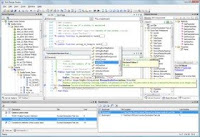
Patterson Consulting's Test Design Studio is an exciting new product that is the first of its kind for Mercury/HP automation. This product serves as a single, integrated editor for WinRunner® scripts and GUI Map Files, QuickTest® Profressional scripts, VBScript files, and Quality Center workflow scripts. Additional functionality is also provided to assist the automation effort and administration of Quality Center.
Advanced Code Editor Control
Test Design Studio utilizes an advanced control for editing text files and provides the same editing experience found in powerful editors like Microsoft®'s Visual Studio 2005 product.

Object Browser
The Object Browser is a visual representation of all the classes, functions, and other members in your libraries, scripts, and other resources. Select any item to see extended details for that item.

Seemless Quality Center Integration
A wizard interface is used to define all Quality Center connection information. You can specify one or more servers and define projects within each server. When opening files, all configured projects will appear completely integrated with your standard file system for easy browsing.

Quality Center Administration
Many of the features typically available through the Quality Center Site Administration and Project Customization utilities will be available directly from within Test Design Studio. Manage multiple projects and servers from within a single interface. 

Integrated Web Browser
Browse the web or any web-based application (like Quality Center) directly within the tool. Each web browser instance appears within the editor as a document tab just like the editor windows.